
What Should Businesses Know Before Choosing Employee Monitoring Software?
Choosing the right technology to manage employees is an important decision for growing businesses. With remote and hybrid working becoming increasingly common, organizations need better ways to understand employee productivity, monitor work activities, and maintain accountability. This is where Employee Monitoring Software can make a meaningful difference. However, selecting a solution requires more than comparing features and subscription prices. Businesses must consider employee privacy, data security, reporting capabilities, ease of use, and compatibility with existing workflows. Understanding these factors before investing can help organizations choose a solution that supports productivity without creating unnecessary workplace pressure.
1. Understand Your Business Monitoring Requirements
Before comparing software providers, identify what your organization actually needs to monitor. Different businesses have different operational challenges. A customer support company may need to understand application usage and working hours, while a software development agency may want insights into project activity and employee productivity.
Start by identifying the problems you want to solve. These might include limited visibility into remote work, inaccurate time records, inefficient workflows, or difficulties identifying productivity bottlenecks.
For example, a marketing agency managing several remote teams might struggle to understand how employees distribute their working hours across different projects. Monitoring software can provide useful activity reports that help managers identify workload imbalances and improve resource allocation.
Having clearly defined objectives makes it easier to select features that deliver genuine business value.
2. Evaluate Essential Features Before Making a Decision
Not every monitoring platform offers the same capabilities. Businesses should compare available features and determine which ones support their daily operations.
Employee Screen Monitoring Software
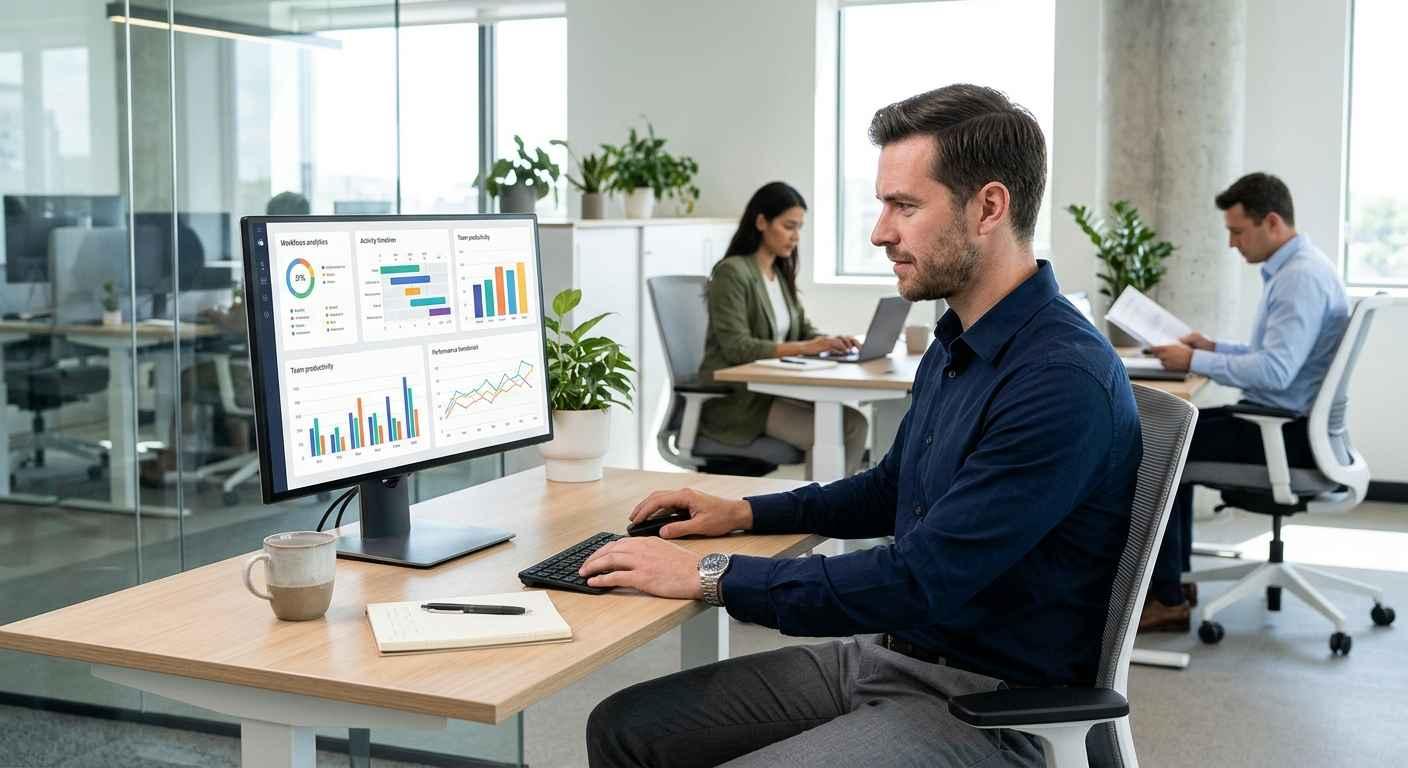
Employee Screen Monitoring Software allows businesses to understand work activity through screen visibility features, such as screenshots captured at configured intervals. These features can help managers review work processes, investigate operational concerns, and understand how employees use company devices.
However, screen monitoring should be implemented carefully. Businesses should establish clear monitoring schedules and avoid collecting unnecessary personal information.
Computer Activity Monitoring Software
Computer Activity Monitoring Software provides insights into how employees interact with their computers during working hours. Depending on the platform, this may include application usage, website activity, active and idle time, and other productivity indicators.
For example, a company might discover that employees spend considerable time switching between applications. Managers can investigate whether this reflects unnecessary administrative work or inefficient processes.
Productivity Reports and Time Tracking
Look for platforms that combine activity monitoring with productivity reports and time tracking. These features make it easier to understand working patterns, review team performance, and identify opportunities for improvement.
3. Prioritize Employee Privacy and Legal Compliance
Workplace monitoring should always balance business requirements with employee privacy. Installing monitoring software without explaining its purpose can damage workplace relationships and reduce employee confidence.
Businesses should establish transparent monitoring policies that explain what information is collected, why it is collected, how long it is retained, and who can access it.
The UK Information Commissioner's Office provides useful guidance on data protection and monitoring workers. It emphasizes defining monitoring purposes, limiting data collection, and considering workers' rights.
Similarly, GOV.UK guidance on monitoring staff at work explains that employers should justify workplace monitoring and inform employees about its purpose.
Because legal requirements differ between countries and jurisdictions, businesses should consult appropriate legal professionals before implementing monitoring policies.
4. Check Data Security and Access Controls
Monitoring platforms may collect sensitive business information, including application activity, screenshots, working patterns, and employee performance records. Therefore, data security should be a major consideration when evaluating software providers.
Look for security measures such as encrypted data transmission, secure authentication, role-based permissions, and clearly defined data retention policies.
Businesses should also understand where monitoring information is stored and whether the provider shares information with third parties.
For instance, a company with multiple department managers should be able to restrict access so that each manager only views information relevant to their responsibilities.
The Office of the Privacy Commissioner of Canada offers additional guidance on workplace privacy and limiting employee monitoring to specific, appropriate purposes.
5. Consider Ease of Use and Software Integration
Even a feature-rich monitoring platform can become difficult to manage if its interface is confusing. Businesses should choose software that employees and managers can understand without extensive technical training.
Consider the dashboard layout, report accessibility, installation process, and available customer support.
Integration is equally important. If your organization already uses HR platforms, payroll systems, or project management tools, check whether the monitoring solution can fit into your existing workflow.
For example, a growing business may benefit from connecting employee activity insights with project reporting to understand how teams distribute their time across different assignments.
Before purchasing, request a product demonstration or trial to evaluate the platform using realistic business scenarios.
6. Compare Pricing, Scalability, and Customer Support
Software pricing should be evaluated according to long-term business requirements rather than the initial subscription cost.
Some providers charge per employee, while others offer different packages based on features, devices, or reporting capabilities. Review the pricing structure carefully and identify additional costs associated with implementation, support, or advanced features.
Scalability also matters. A solution that works for a team of ten employees should ideally support business growth without requiring a complete platform replacement.
Reliable customer support is another important consideration. Check whether the provider offers onboarding assistance, technical documentation, and timely troubleshooting.
7. Introduce Monitoring Through Clear Workplace Communication
Selecting suitable software is only one part of successful implementation. Businesses should also explain how the platform will be used and how monitoring information will support employees and management.
Start with a clear internal policy and communicate monitoring practices before deployment. Explain which activities are tracked and how the collected information will be used.
Managers should also avoid judging employee performance using activity scores alone. Someone who spends more time away from their keyboard may still produce excellent results through meetings, planning, or creative work.
Monitoring data should support informed conversations rather than replace professional judgment.
Conclusion
Choosing the right Employee Monitoring Software requires businesses to consider productivity goals, essential features, employee privacy, security, integration, and long-term costs. The best solution is not necessarily the one with the most monitoring features but the one that provides meaningful insights while supporting a healthy workplace environment.
Businesses should also explore complementary tools such as project management software to improve task coordination, workflow visibility, and team collaboration.
Explore StaffViz to discover workforce management and productivity solutions that can help your organization manage employees more effectively. Choose technology that supports transparency, improves operational efficiency, and creates better outcomes for both employees and businesses.
Frequently Asked Questions
1. What should businesses look for in Employee Monitoring Software?
Businesses should evaluate activity tracking, screen monitoring, productivity reports, time tracking, data security, privacy controls, ease of use, and integration capabilities before selecting a platform.
2. Is Employee Screen Monitoring Software suitable for remote teams?
Yes. It can help managers understand work activity, review productivity patterns, and maintain visibility across distributed teams. However, monitoring policies should be transparent and respect employee privacy.
3. How does Computer Activity Monitoring Software improve productivity?
It provides insights into application usage, active time, idle periods, and computer activity. Managers can use this information to identify workflow inefficiencies and improve resource allocation.
4. Is employee monitoring legal for businesses?
Employee monitoring laws vary by country and jurisdiction. Businesses should establish a legitimate purpose, follow applicable privacy regulations, and inform employees about monitoring practices.
5. Can employee monitoring software track remote employees?
Yes. Many platforms support remote workforce monitoring through activity reports, application usage tracking, time records, and configurable screen monitoring features.
6. How can businesses protect employee privacy when using monitoring tools?
Businesses should collect only necessary information, communicate monitoring policies clearly, restrict access to sensitive records, and establish appropriate data retention procedures.
7. Does employee monitoring software replace performance management?
No. Monitoring software provides useful activity and productivity insights, but it cannot independently measure creativity, work quality, collaboration, or overall employee contribution. Managers should combine software reports with performance reviews and human judgment.
 Italiano
 English
 Arabic
 French
 Spanish
 Portuguese
 Deutsch
 Turkish
 Dutch
 Russian
 Romaian
 Portuguese (Brazil)
 Greek